
PUBG MOBILE FLASH
NOW
500 MB
V 4.6.0
Android 4.0/5.0 or higher
460K

Description
PUBG MOBILE FLASH Game is a new lightweight battle royal experience designed for players who want the familiar PUBG MOBILE style without starting with a very large download. The game focuses on flexible content installation, allowing players to begin with essential resources and add other maps or modes later. This approach can be useful for Android users who manage limited storage or prefer downloading only the content they actually use.
The game was previously presented as PUBG MOBILE LIGHT and has been renamed PUBG MOBILE FLASH. It is being developed for players who want a more accessible way to enter the PUBG MOBILE ecosystem. Instead of downloading every available resource at the beginning, users can start with the main content and expand their installation when needed.
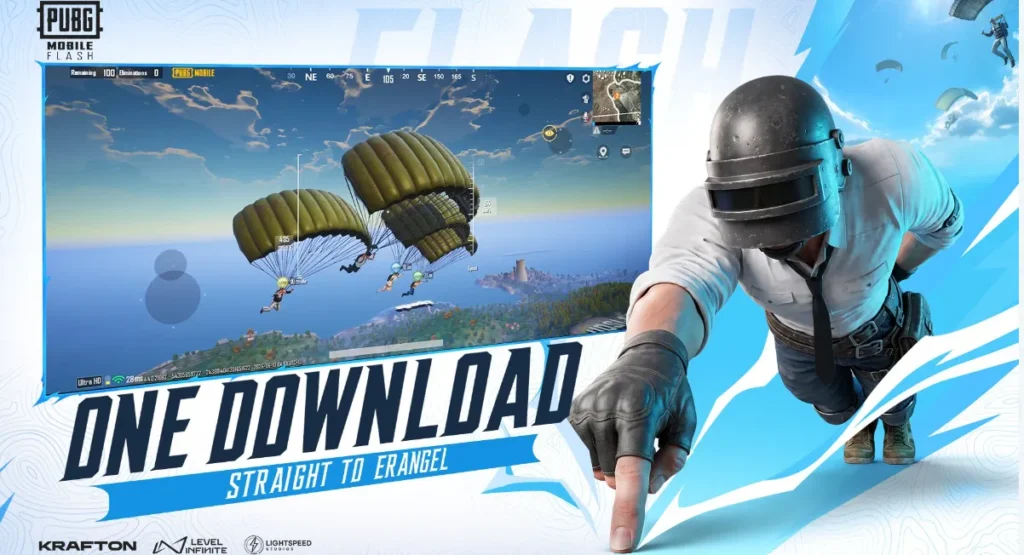
Overview
It is a lightweight version of the popular PUBG MOBILE battle royale experience. Its main purpose is to provide a simpler installation process while keeping the familiar gameplay style that players already know.
The game gives players access to the core battle royale experience and uses a flexible download system. Erangel is available as starting content, while additional maps and modes can be downloaded later. This makes the installation more convenient for people who do not want to use a large amount of storage immediately.
For players searching for a new mobile battle royale option, PUBG MOBILE FLASH can be interesting because it combines familiar gameplay with a different approach to resource management.
Why Is PUBG MOBILE FLASH Getting Attention?
One of the biggest reasons Game is attracting attention is its lightweight installation concept. Large mobile games can quickly consume storage space because they include maps, graphics, sounds, characters, and other resources.
With this Game, players can begin with essential content instead of downloading everything at once. This gives users more control over their available storage.
Another important point is familiarity. PUBG MOBILE players do not need to learn an entirely different battle royale system. The experience is built around the same general concepts of landing, looting, surviving, and competing against other players.
The flexible content system also makes it appealing to users with slower internet connections because they can choose when to download additional resources.
Main Key Features To Notice
This Game comes with several features designed around convenience and accessible gameplay.
Lightweight Starting Installation
The game focuses on reducing the amount of content players need to download before getting started. This can help users with limited storage.
Erangle Starting Content
Erangel provides the initial battlefield experience, allowing players to begin without waiting for every additional map to download.
Optional Content Downloads
Players can add more maps and modes when required. This reduces unnecessary resource usage for people who only play selected modes.
Familiar Battle Royale Gameplay
The core experience includes exploration, looting, weapons, vehicles, tactical movement, and survival-based matches.
Flexible Storage Management
The download approach allows players to manage their device storage more effectively.
Gameplay and Game Modes
The gameplay follows the traditional battle royale formula. Players enter a large map, search for equipment, collect weapons, and compete against other players while the playable area becomes smaller.
PUBG MOBILE FLASH is designed around quick decisions and tactical movement. Players need to choose where to land, which equipment to collect, and when to fight or avoid an opponent.
Squad players can also focus on communication and teamwork. Sharing supplies, watching different directions, and helping teammates can make a major difference during a match.
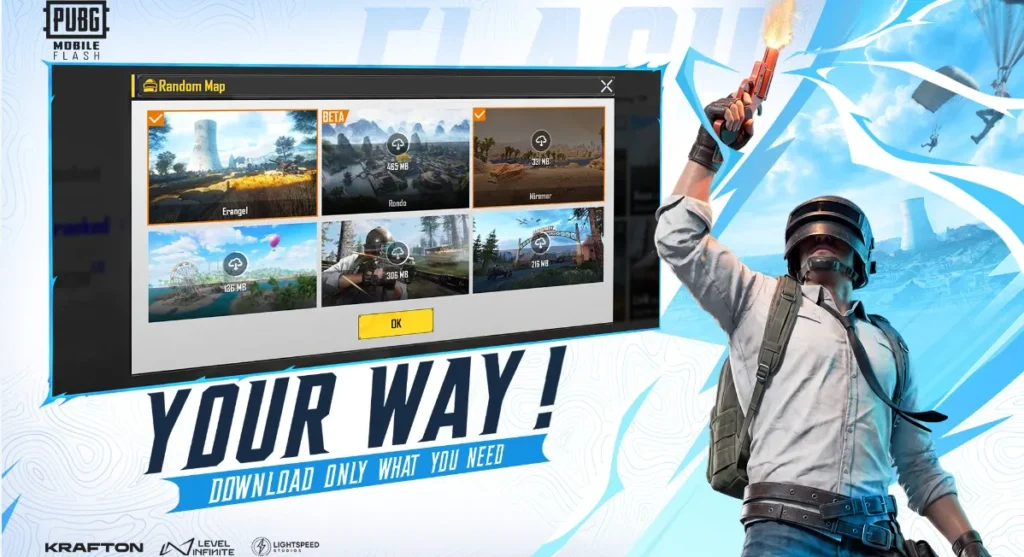
Additional modes and maps can be added according to availability and the player’s preferences.
Technical Specifications
| Specification | Details |
|---|---|
| Game Name | PUBG MOBILE FLASH |
| Previous Name | PUBG MOBILE LIGHT |
| Genre | Battle Royale / Action |
| Platform | Android and iOS |
| Starting Map | Erangel |
| Content System | Download additional content when required |
| Developer/Publisher | Level Infinite |
| Package | com.tencent.igfit |
| Launch Period | November 2026 |
| Monetization | Free-to-play with in-app purchases |
Graphics and Performance
PUBG MOBILE FLASH is focused on making the starting installation easier, but that does not mean every device will provide identical performance.
Your phone’s processor, graphics hardware, RAM, storage speed, operating system, temperature, and background applications can all affect gameplay.
Players with entry-level devices should use suitable graphics settings instead of automatically selecting the highest available option. Lower settings can provide a smoother experience and reduce heat during long sessions.
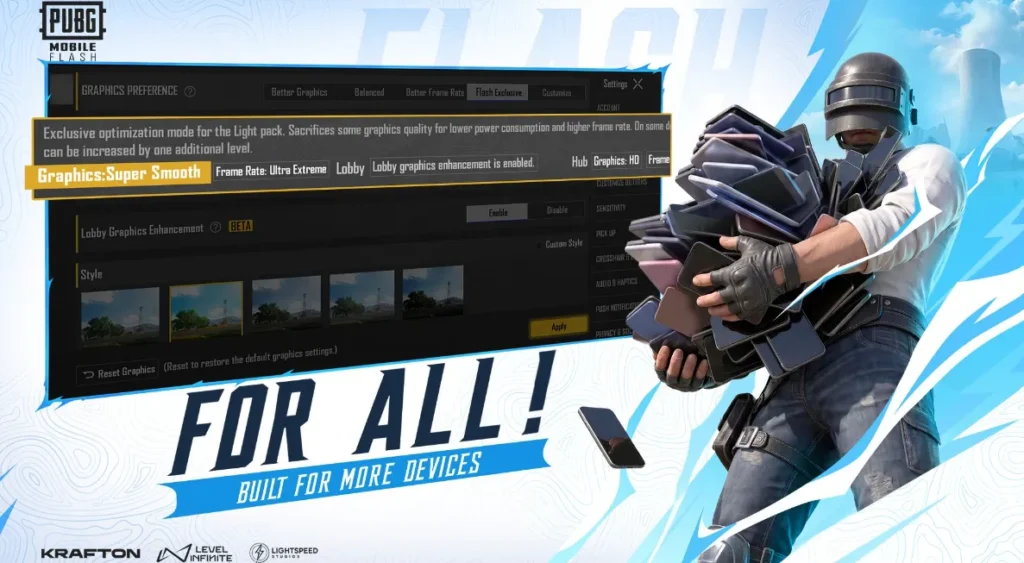
Keeping enough free storage is also important because future updates and optional resources may require additional space.
How to Install PUBG MOBILE FLASH on Android & IOS
Installing this Gaming app should be done through a trusted and official source like Google Play Store whenever the game becomes available in your region.
Follow these steps:
- Open the Google Play Store.
- Search for PUBG MOBILE FLASH.
- Check the developer and app information.
- Review the available permissions.
- Tap the official Install button.
- Wait for the initial installation to finish.
- Launch the game.
- Sign in using an available account option.
- Complete the required game resources.
- Download additional maps or modes only when needed.
If you are using an APK file, verify its source carefully before opening it. Avoid modified packages that promise unlimited currency, unlocked items, cheats, or other unofficial advantages.
Android Permissions: What Should You Check?
Android permissions should always be reviewed before installation. A game may require access to certain features for functions such as voice communication, notifications, storage management, or other gameplay-related services.
Do not approve permissions that appear unrelated to the application’s purpose. If an unofficial APK requests unusual access, stop the installation and investigate the file source.
Permission requirements can also change after updates, so checking them periodically is a good habit.
Safety and Security: What Should You Verify?
Security is particularly important when downloading a newly launched game. Players should prefer official stores and trusted distribution channels.
Before installing PUBG MOBILE FLASH, verify the developer name, package information, file source, permissions, and download page. Avoid websites offering suspicious modified versions.
Claims about unlimited UC, free premium items, automatic account upgrades, or guaranteed rewards should be treated carefully.
Never provide your password, OTP, payment PIN, recovery code, or other private account information to someone claiming to offer game support.
Registration and Login
The registration and login process should be completed through the official options provided inside the game.
Players should use their own account information and avoid purchasing accounts from unknown sellers. Shared or stolen accounts can create security problems and may also result in access issues later.
When PUBG MOBILE FLASH supports existing ecosystem features, players should carefully select the correct account during login so that their information and progress are connected to the intended profile.
Storage and Internet Requirements
One major advantage of the lightweight approach is better control over initial storage usage. However, players should not assume that the game will never require additional space.
Maps, modes, updates, graphics resources, and other downloadable content can increase the total installation size.
A stable Wi-Fi connection is recommended for large downloads. Players should also keep some extra storage available before installing major updates.
My Editorial User Experience
From an editorial perspective, PUBG MOBILE FLASH has an interesting approach to mobile gaming. Instead of making every player download a large collection of resources immediately, the game focuses on giving users a starting package and allowing them to choose additional content.
This can be especially useful for Android users who frequently manage storage space. Players who mainly enjoy one map do not necessarily need to download every available resource.
The most important factor will be real-world performance after wider availability. Device compatibility, download speeds, server stability, and optimization will determine how useful the lightweight approach feels to everyday players.
Troubleshooting Common Problems
If PUBG MOBILE FLASH does not install, first check your free storage and Android version. Restarting the device can also resolve temporary installation problems.
For login errors, check your internet connection and confirm that you are using the correct account details.
If additional resources fail to download, switch to a reliable Wi-Fi network and make sure enough storage is available.
For crashes or frame-rate problems, close background applications and lower graphics settings. Keeping the game and operating system updated can also help.
Smart Tips for Players
Keep several gigabytes of free storage for future content and updates.
Use a stable connection when downloading maps or large resource packages.
Avoid unofficial modified versions.
Keep your login information private.
Use appropriate graphics settings for your device.
Take breaks if the phone becomes unusually hot during long gaming sessions.
Download only the maps and resources you actually need.
Pros and Cons
Pros
- Lightweight starting installation
- Flexible content downloads
- Familiar battle royale gameplay
- Erangel available as starting content
- Better control over storage
- Suitable for players who prefer selective downloads
Cons
- Full content can still require additional storage
- Performance depends on the device
- Availability can vary by region
- Unofficial APK sources can create security risks
- Future requirements may change with updates
PUBG MOBILE FLASH vs Traditional PUBG MOBILE
The main difference is the installation approach. Traditional PUBG MOBILE can require a larger collection of game resources, while PUBG MOBILE FLASH is designed around a smaller starting package.
This means players can begin with essential content and download additional maps and modes later. The approach is particularly useful for people who do not want to sacrifice large amounts of phone storage.
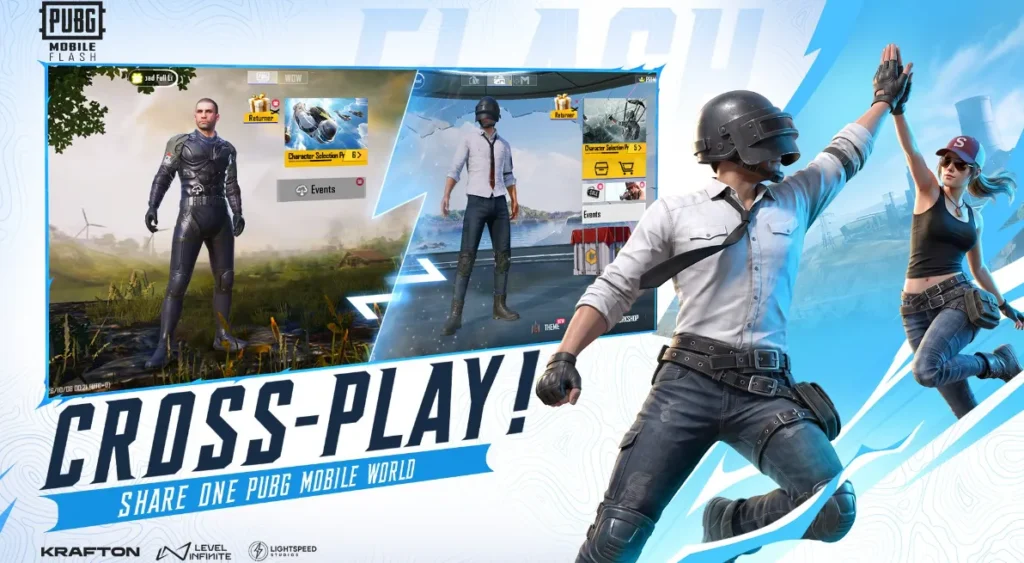
However, the total storage requirement can still increase as players add more content.
Is PUBG MOBILE FLASH Worth Trying?
For players who enjoy battle royal games and want better control over storage, Application is worth watching.
Its biggest advantage is not necessarily a completely different gameplay system. Instead, the attraction comes from the way content is delivered.
The ability to start with essential resources and add content later provides a more flexible experience. Players should still wait for official availability and check device compatibility before making installation decisions.
Final Verdict
PUBG MOBILE FLASH introduces a practical approach to mobile battle royale gaming. Its lightweight starting installation and optional content system can make the experience more convenient for Android users who have limited storage.
The familiar gameplay style, flexible downloads, and access to essential content make it an interesting addition to the PUBG MOBILE family.
However, players should prioritize official sources, verify the developer, review permissions, and avoid suspicious modified APK files.
Overall, this Game is a promising option for players who want the familiar PUBG-style experience without immediately downloading every available resource. Its long-term success will depend on optimization, device support, content availability, and the quality of the experience after launch.
Trending FAQ`s
The announced launch period is November 2026.
Yes, additional maps and modes can be downloaded when available.
No. Modified APKs can create security and account risks.
Yes, online multiplayer gameplay requires a stable internet connection.
Account and ecosystem support should be checked through the official version available in your region.
Use suitable graphics settings, keep storage free, and close unnecessary applications.
It depends on your priorities. Its main advantage is flexible installation and storage management.
It is safer to use official distribution channels rather than unknown APK websites or you may download it from APKJONNY.COM